
 It Works Locally
Claude's Default Font Is a Problem — Here's How to Change It
I use Claude every day. It is one of the most useful tools I have found for managing the parts of my work that dyslexia makes harder — drafting, summarising, catching errors I would otherwise miss.
Which makes it frustrating that the default font is Anthropic Serif.
For a tool built to help people, choosing a serif font as the default is a strange choice.
How to change it on desktop
The setting exists, but it is not where you would expect. It took me a few attempts to find it.
- Open claude.ai in your browser
- Click your profile icon in the bottom left
- Go to Settings
- Select General
- Scroll down to Preferences
- Under Chat font, switch from Anthropic Serif. Anthropic Sans is the safe choice, but there is also a Dyslexic friendly option.
It is a small change, but it adds up over a long session.
The app is a different problem
The mobile app does not offer this option at all. There is no font setting — you get Anthropic Serif and that is it.
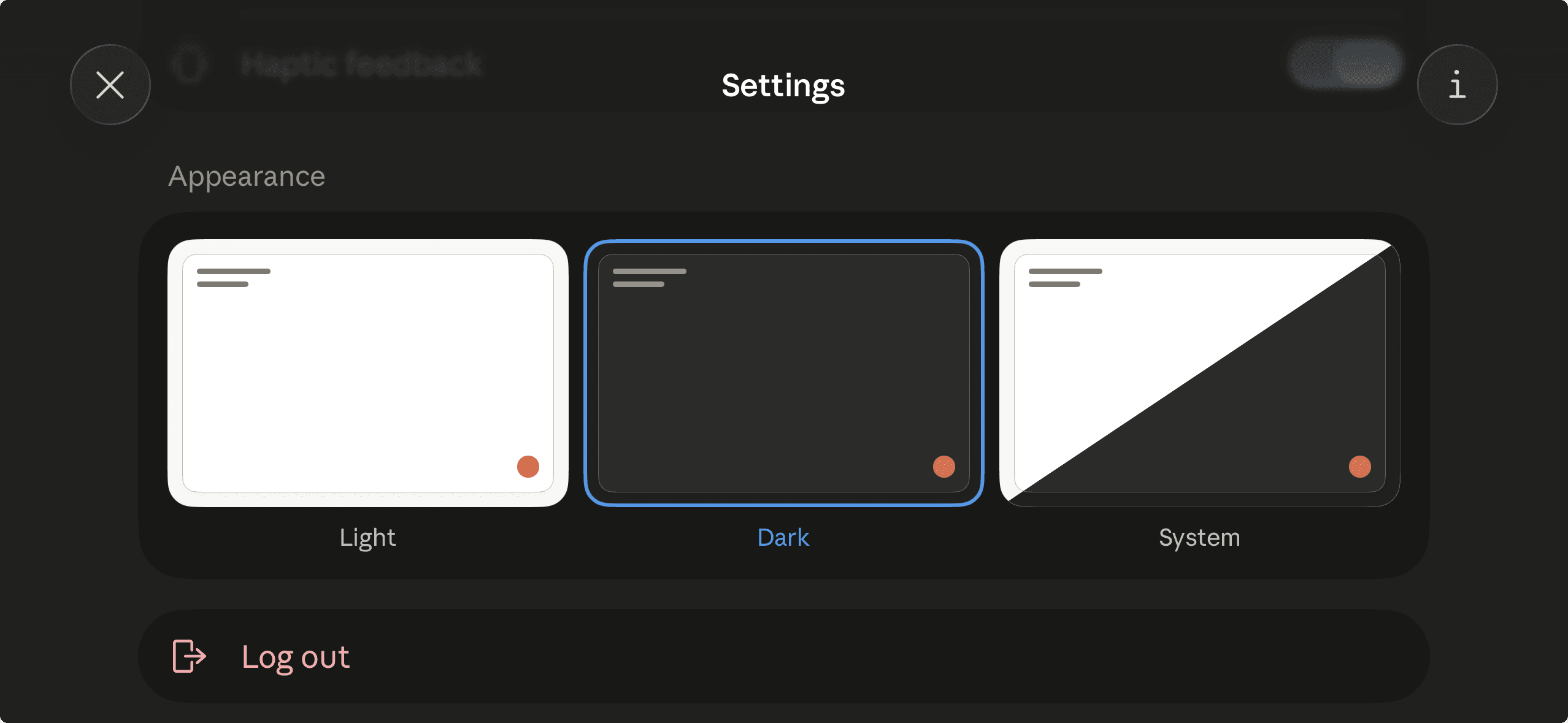
Skip the app. Open claude.ai in your phone or tablet's browser instead — the font setting is there too.
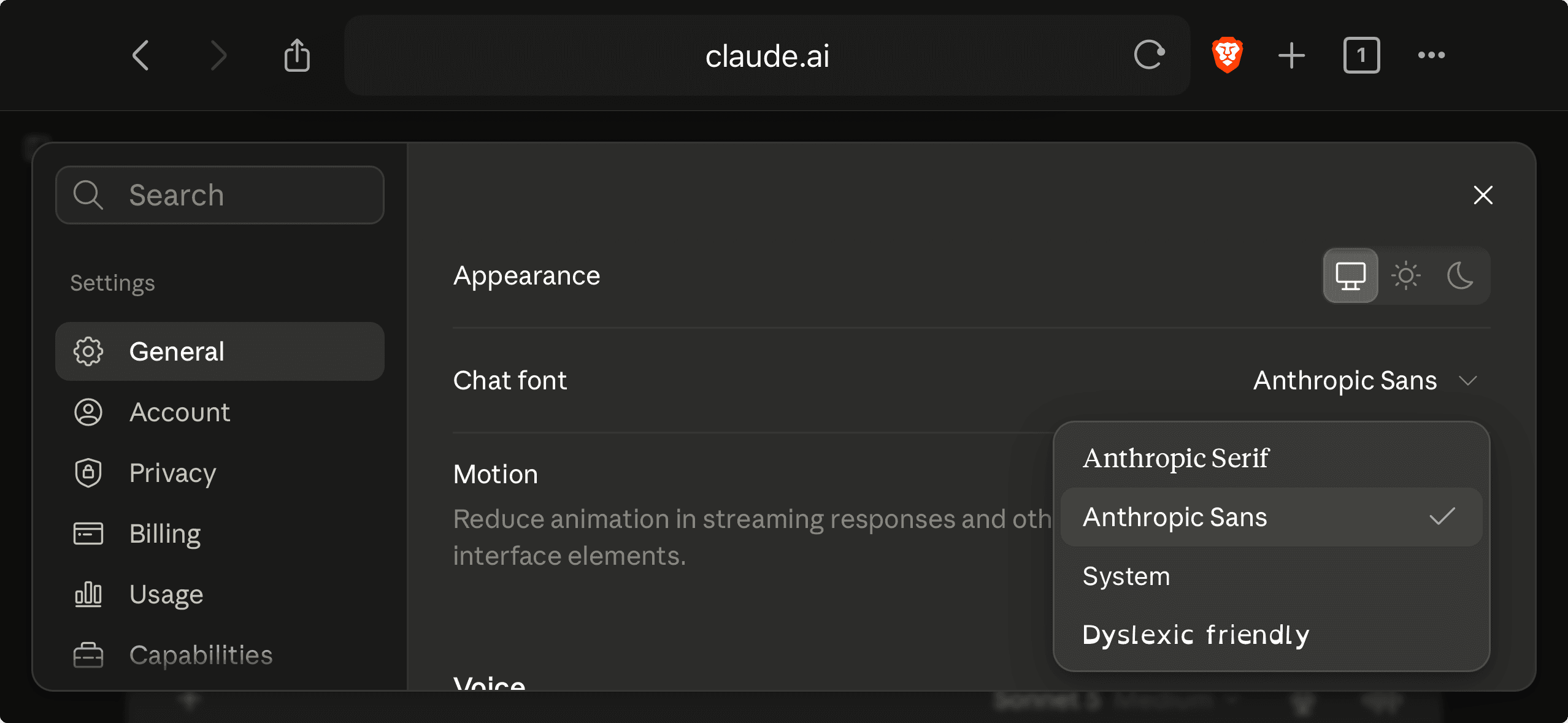
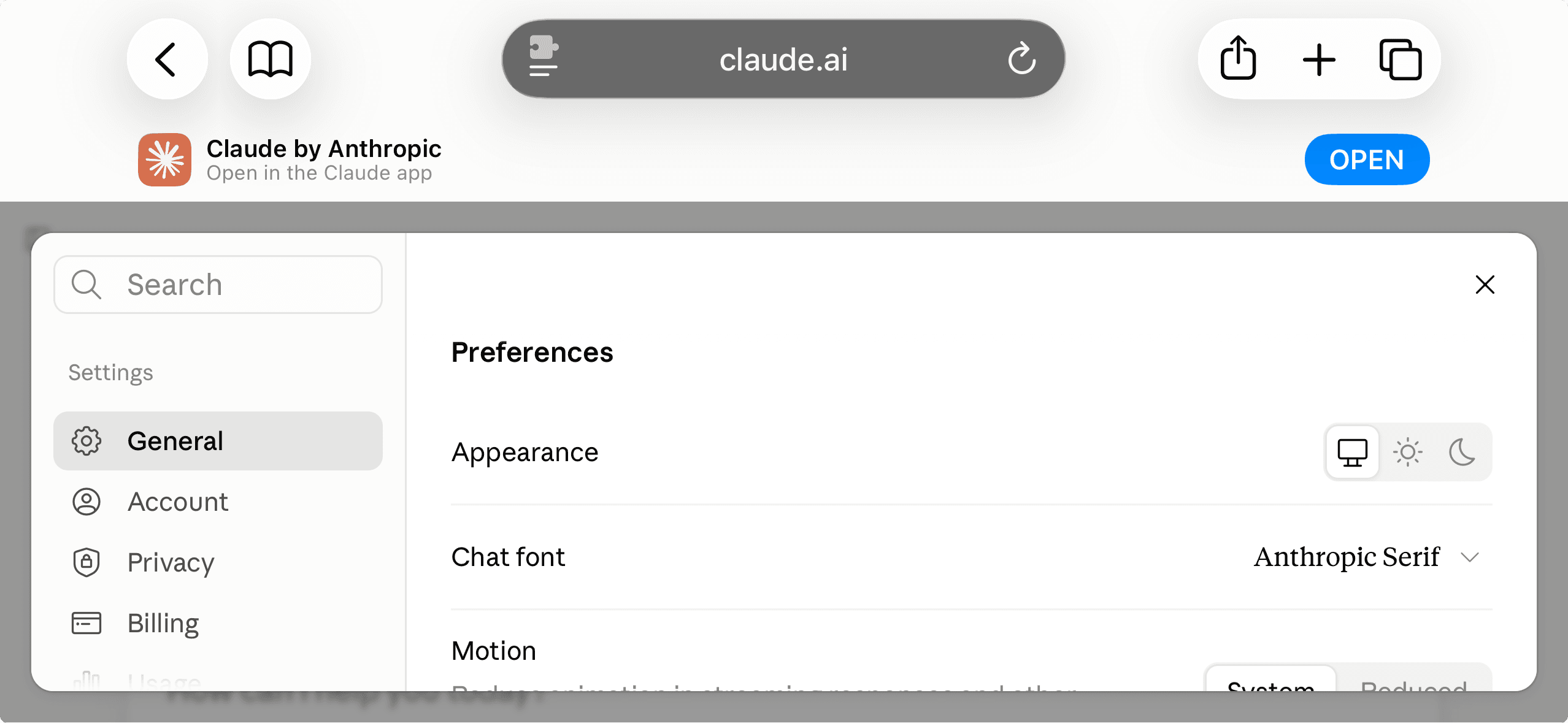
One thing to watch for: avoid opening claude.ai in Safari if you can help it. Anthropic has the site set up to trigger Safari's native app banner — which here means nudging you toward the one client that is missing the setting you're trying to change. Brave does not show it, which is the main reason these screenshots were taken there instead.
This shouldn't be necessary
I pay for Claude. A lot of people with disabilities do, because it is useful in ways that free tools often are not. Dyslexia, Attention-Deficit/Hyperactivity Disorder (ADHD), low vision, cognitive differences — these are exactly the conditions that make a tool like Claude worth paying for. They are also the conditions most affected by poor typographic choices.
Generative AI has potential as an accessibility tool. I have seen that firsthand. But that potential is harder to reach when the interface gets in the way — like a serif default you can't change on mobile.
A sans-serif default and a font setting in the app would not be a difficult fix. It just needs to be treated as worth doing.